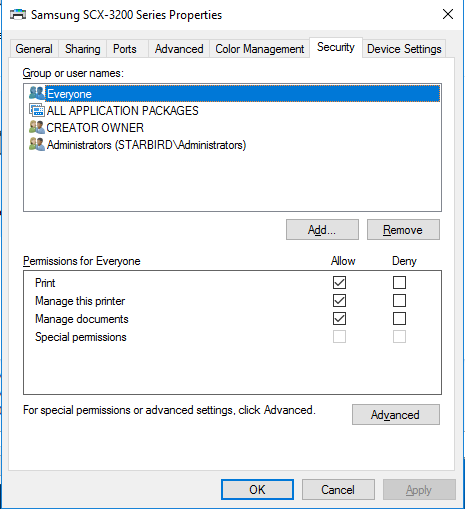
To enable LAN users (not domain-joined) to be able to access folders and printers without getting prompted for a username and a password.
Preparation Work
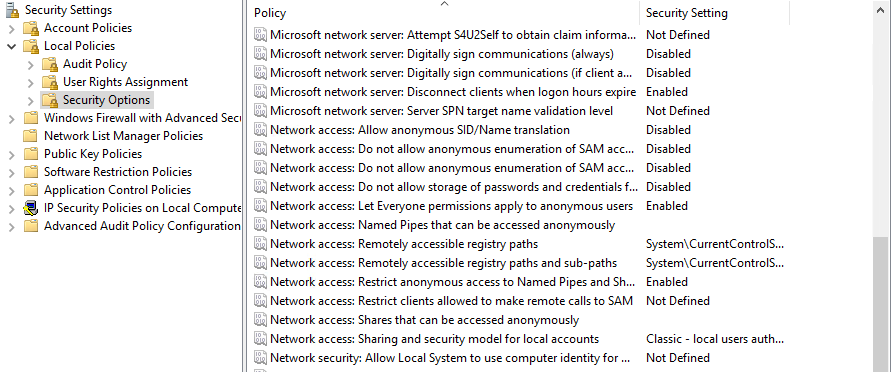
Start > Local Security Policy > Local Policies > Security Options
- Accounts: Guest Account Status:
Enabled - Network access: Let Everyone permissions apply to anonymous users:
Enabled - Network access: Do not allow anonymous enumeration of SAM accounts and shares:
Disabled
Sharing a Folder
Locate the folder you want to share > Right Click on it > Properties . . .
Sharingtab:Advanced Sharing>Permissions>Add . . .> AddEveryone> CheckReadandChange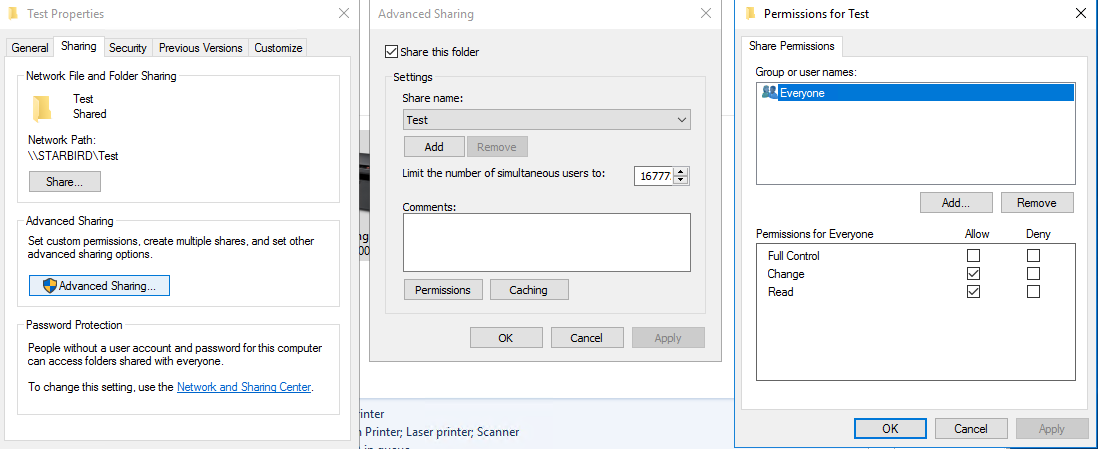
Securitytab:Edit . . .>Add . . .> AddEveryone> CheckFull Control(or appropriate file permissions)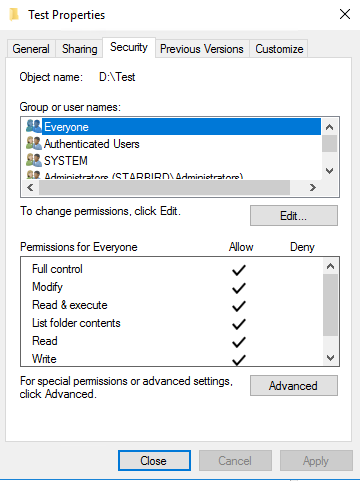
Sharing a Printer
Start > Devices and Printers > Locate the printer to share and right-click on it > Printer properties
- Sharing tab:
Share this printer: ticked,Render print jobs on client computers: ticked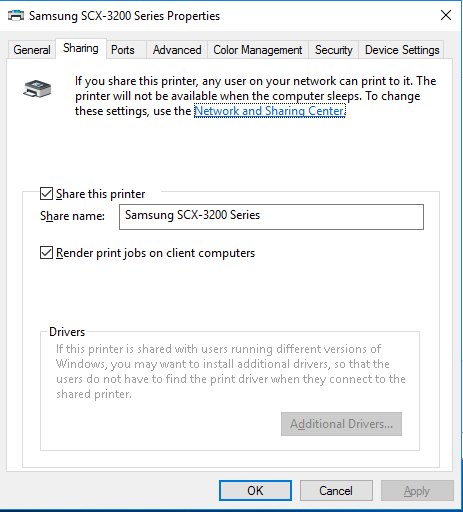
- Security tab:
Add . . .> AddEveryone> Check all boxes